Mobile
AI-Assisted Development
Get Dings
Get dings done. Feel productive.
Scroll down
to see more
"As a user, I want to track what goals I finished"
"As a user, I want to track what goals I finished"
AI-assisted development
Overview
I built Get Dings, a tiny productivity app, as a quick experiment in AI-assisted development. Using a stack of Lovable, GitHub, VS Code, and Hostinger, I went from idea to live app in just two hours - including the learning curve. The process was surprisingly seamless, and it opened my eyes to how AI tools can accelerate prototyping and deployment.
Timeline: 2 hours
Role: Designer and Developer
Team: 1
Tools: Lovable, GitHub, VS Code, Hostinger
Deliverables: Mobile-friendly web app
Try it out
Try it out
Get Dings
Get Dings


Development process
Process
How it was built
Discovery
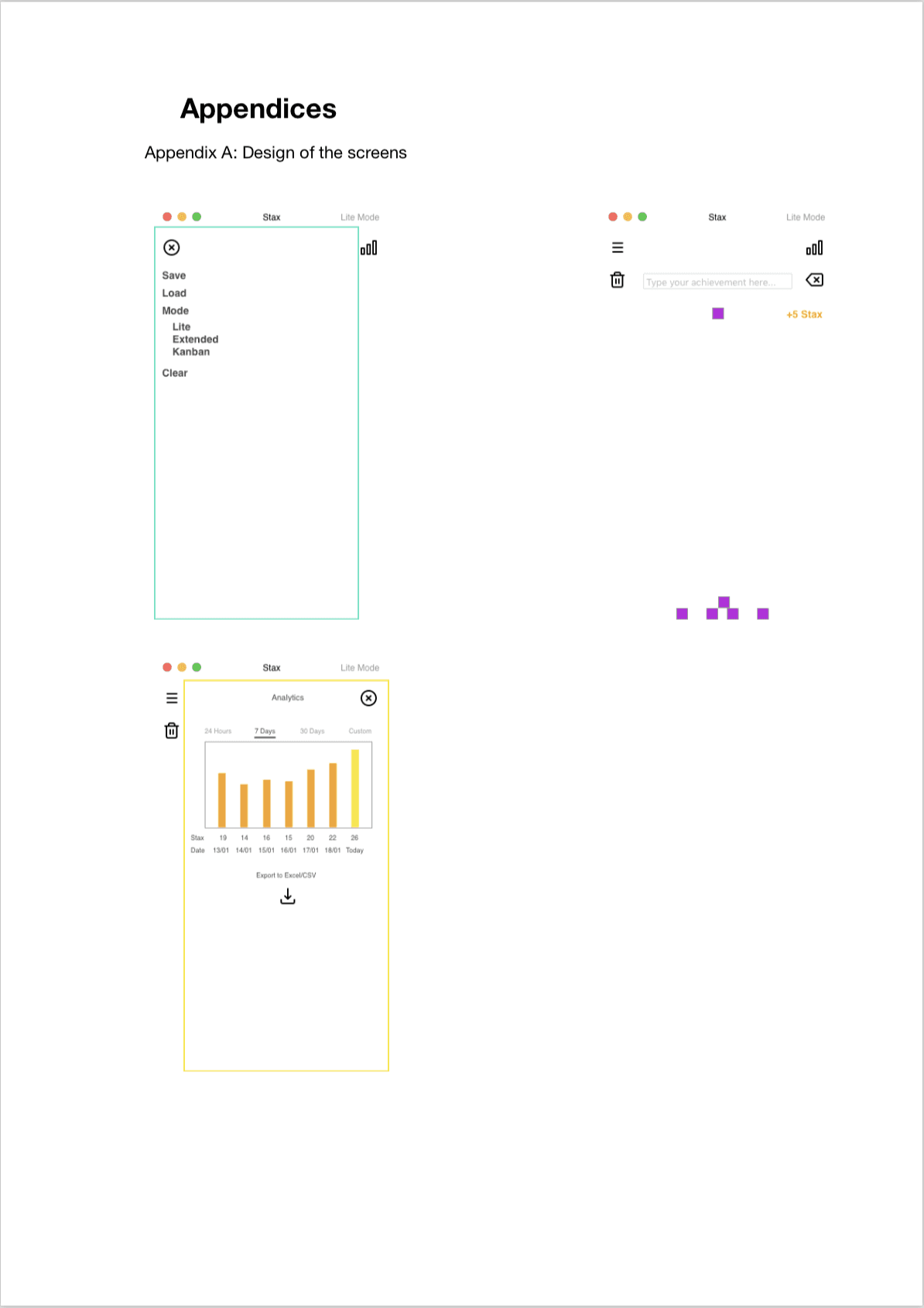
The idea for Get Dings came from a long time ago when I first got interested in UX Design. I wanted to create a delightful, playful, reverse to-do list, where the user would only mark their achievements and keep track of them. I made the original designs in Sketch and even built a functioning MVP in Processing. However, that's as far as I went with it and I didn't end up releasing the app in public. With the dawn of AI development platforms like Lovable, I wanted to test how powerful they are. Since I already had this idea for an app that I found helpful for myself, I used the same concept to build the app with Lovable.
1
Discovery
The idea for Get Dings came from a long time ago when I first got interested in UX Design. I wanted to create a delightful, playful, reverse to-do list, where the user would only mark their achievements and keep track of them. I made the original designs in Sketch and even built a functioning MVP in Processing. However, that's as far as I went with it and I didn't end up releasing the app in public. With the dawn of AI development platforms like Lovable, I wanted to test how powerful they are. Since I already had this idea for an app that I found helpful for myself, I used the same concept to build the app with Lovable.
1
Discovery
The idea for Get Dings came from a long time ago when I first got interested in UX Design. I wanted to create a delightful, playful, reverse to-do list, where the user would only mark their achievements and keep track of them. I made the original designs in Sketch and even built a functioning MVP in Processing. However, that's as far as I went with it and I didn't end up releasing the app in public. With the dawn of AI development platforms like Lovable, I wanted to test how powerful they are. Since I already had this idea for an app that I found helpful for myself, I used the same concept to build the app with Lovable.
1

AI-Assisted Design
The new age of AI-powered development conjoins design and development quite closely together. It's now quicker to create an app than it is to create a Figma prototype by hand. This of course has its pitfalls which I'm talking about in a podcast released in May 2026 but for now, let's focus on how Get Dings was made. Design & Prototyping: I prompted Lovable to create the app and was already impressed by its first iteration. I ended up prompting more to add features and to shift direction, as well as using Lovable's visual interface which reminded me a bit of Figma or Framer. Once I was content with the result for a first release, I connected it to GitHub. The free plan let me export the whole project directly, which was a pleasant surprise.
2
AI-Assisted Design
The new age of AI-powered development conjoins design and development quite closely together. It's now quicker to create an app than it is to create a Figma prototype by hand. This of course has its pitfalls which I'm talking about in a podcast released in May 2026 but for now, let's focus on how Get Dings was made. Design & Prototyping: I prompted Lovable to create the app and was already impressed by its first iteration. I ended up prompting more to add features and to shift direction, as well as using Lovable's visual interface which reminded me a bit of Figma or Framer. Once I was content with the result for a first release, I connected it to GitHub. The free plan let me export the whole project directly, which was a pleasant surprise.
2
AI-Assisted Design
The new age of AI-powered development conjoins design and development quite closely together. It's now quicker to create an app than it is to create a Figma prototype by hand. This of course has its pitfalls which I'm talking about in a podcast released in May 2026 but for now, let's focus on how Get Dings was made. Design & Prototyping: I prompted Lovable to create the app and was already impressed by its first iteration. I ended up prompting more to add features and to shift direction, as well as using Lovable's visual interface which reminded me a bit of Figma or Framer. Once I was content with the result for a first release, I connected it to GitHub. The free plan let me export the whole project directly, which was a pleasant surprise.
2

AI-Assisted Development
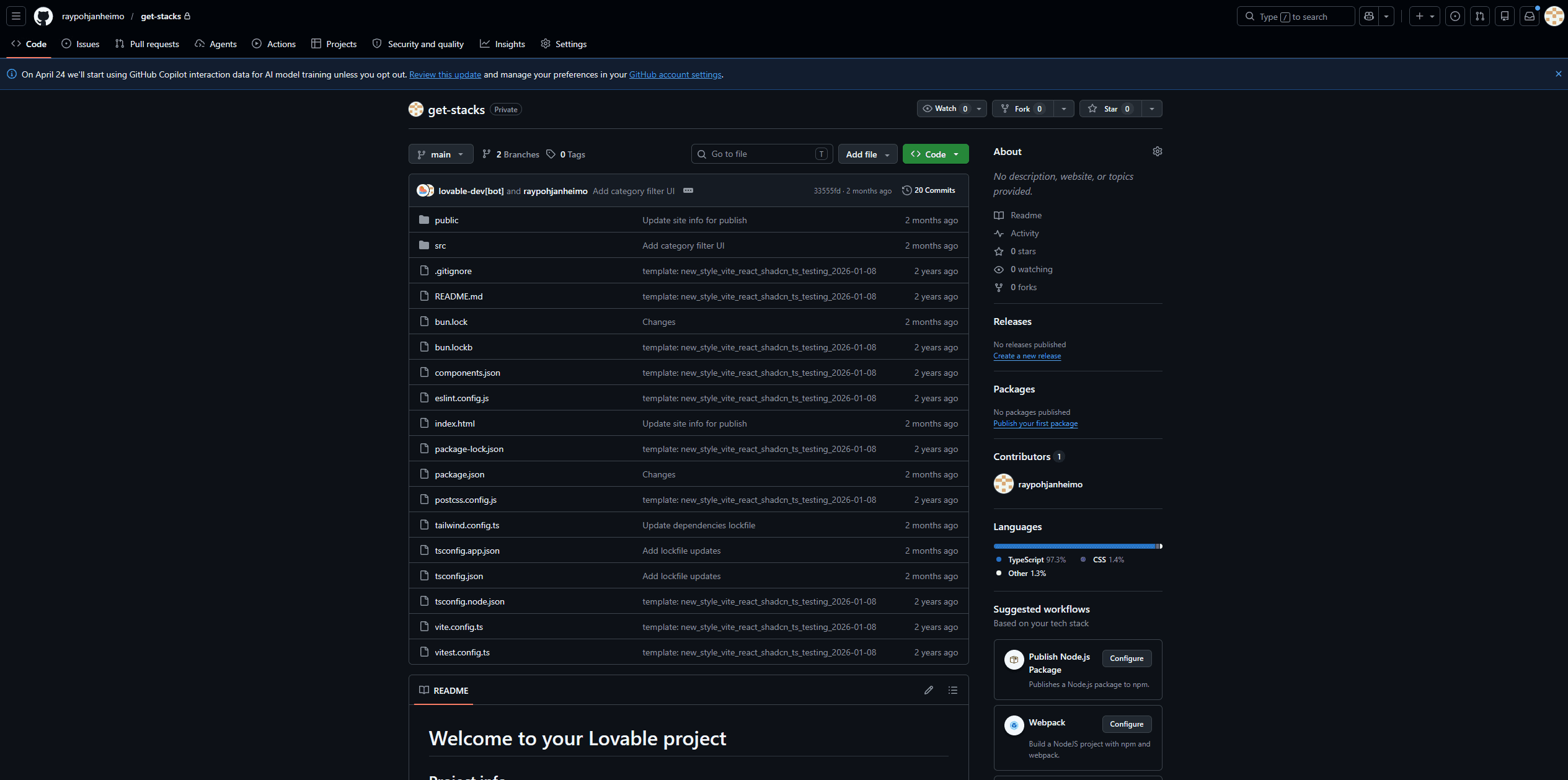
Once the project was exported to GitHub, I verified that it was really all there and checked what was under the hood. Local Development: Cloned the GitHub repo to my local machine to retain ownership and make fine-tuned adjustments in VS Code. VS Code’s AI agents helped me troubleshoot and decide next steps. Deployment: Built the app in VS Code as a web app and uploaded it to Hostinger. The process was smooth and issue-free, defying my expectations of debugging headaches.
3
AI-Assisted Development
Once the project was exported to GitHub, I verified that it was really all there and checked what was under the hood. Local Development: Cloned the GitHub repo to my local machine to retain ownership and make fine-tuned adjustments in VS Code. VS Code’s AI agents helped me troubleshoot and decide next steps. Deployment: Built the app in VS Code as a web app and uploaded it to Hostinger. The process was smooth and issue-free, defying my expectations of debugging headaches.
3
AI-Assisted Development
Once the project was exported to GitHub, I verified that it was really all there and checked what was under the hood. Local Development: Cloned the GitHub repo to my local machine to retain ownership and make fine-tuned adjustments in VS Code. VS Code’s AI agents helped me troubleshoot and decide next steps. Deployment: Built the app in VS Code as a web app and uploaded it to Hostinger. The process was smooth and issue-free, defying my expectations of debugging headaches.
3
Results and Reflection
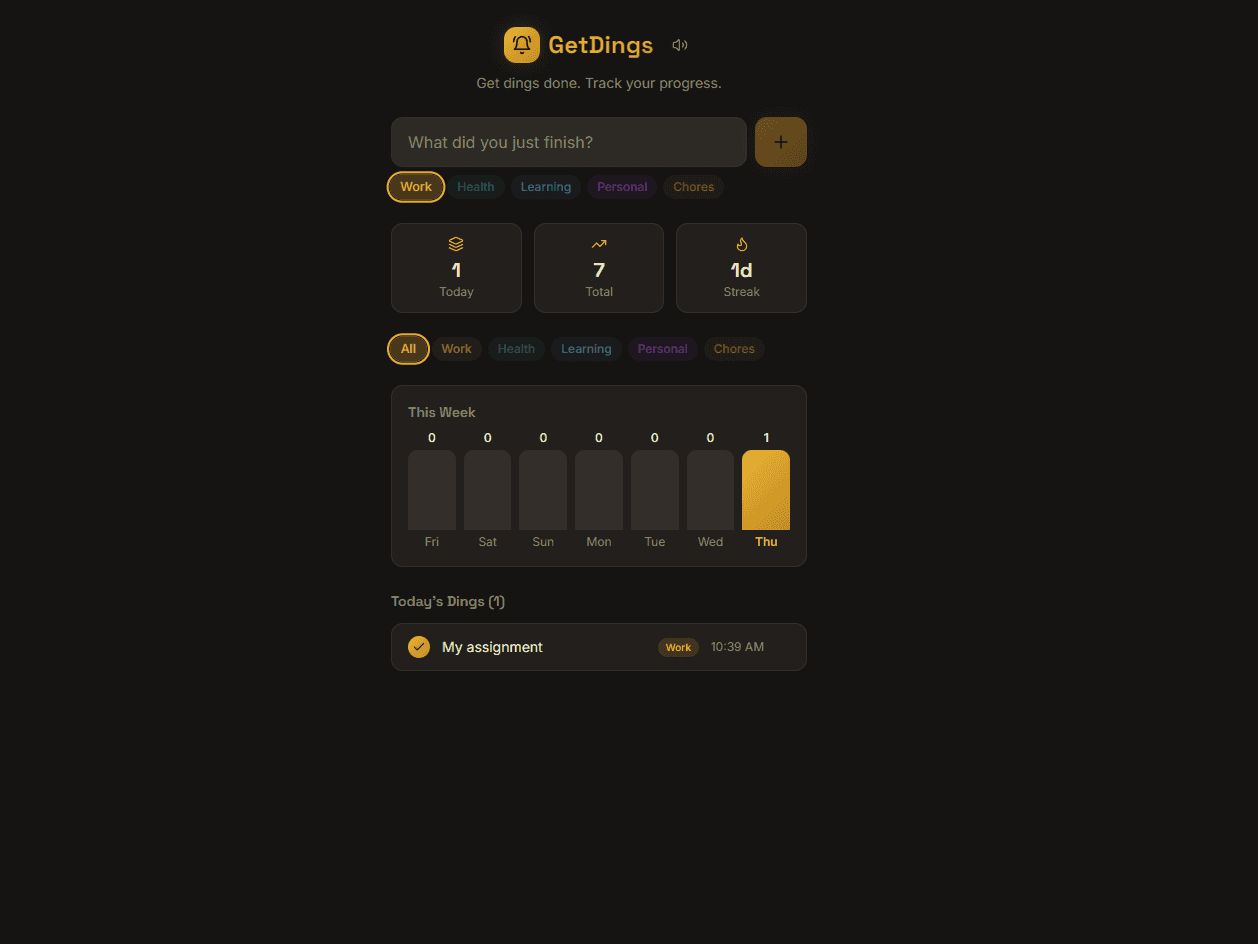
The project ran smoothly on my domain and I shared it with the world. Speed: The entire process—from design to deployment—took only two hours, including learning new tools. Ease of Use: The integration between Lovable, GitHub, VS Code, and Hostinger worked flawlessly. AI assistance in VS Code made problem-solving almost effortless. Limitations: The app is still a work in progress—I haven’t yet conducted an accessibility audit or added advanced features. The experiment was a success: Get Dings is live and functional, and the process proved how AI tools can dramatically reduce friction in development. I’m excited to apply this workflow to future projects, as it eliminates so much of the traditional overhead in releasing software.
4
Results and Reflection
The project ran smoothly on my domain and I shared it with the world. Speed: The entire process—from design to deployment—took only two hours, including learning new tools. Ease of Use: The integration between Lovable, GitHub, VS Code, and Hostinger worked flawlessly. AI assistance in VS Code made problem-solving almost effortless. Limitations: The app is still a work in progress—I haven’t yet conducted an accessibility audit or added advanced features. The experiment was a success: Get Dings is live and functional, and the process proved how AI tools can dramatically reduce friction in development. I’m excited to apply this workflow to future projects, as it eliminates so much of the traditional overhead in releasing software.
4
Results and Reflection
The project ran smoothly on my domain and I shared it with the world. Speed: The entire process—from design to deployment—took only two hours, including learning new tools. Ease of Use: The integration between Lovable, GitHub, VS Code, and Hostinger worked flawlessly. AI assistance in VS Code made problem-solving almost effortless. Limitations: The app is still a work in progress—I haven’t yet conducted an accessibility audit or added advanced features. The experiment was a success: Get Dings is live and functional, and the process proved how AI tools can dramatically reduce friction in development. I’m excited to apply this workflow to future projects, as it eliminates so much of the traditional overhead in releasing software.
4